The Quick Route
Open Your Document → Review The Pages → Save A Copy.
Follow The Steps
- 1
Open Your Document
Launch Advanced PDF Utilities Free and choose Read and edit. Open the PDF you want to review.
- 2
Review The Pages
Move through the document, zoom in on details and use the available annotation tools when you need to mark something.
- 3
Save A Copy
Save your edited document with a new filename so you can keep the original.
Before You Finish
A PDF can contain text, images or both. Opening a scan does not automatically recognize its words; use Advanced OCR Free when you need searchable or reusable text.
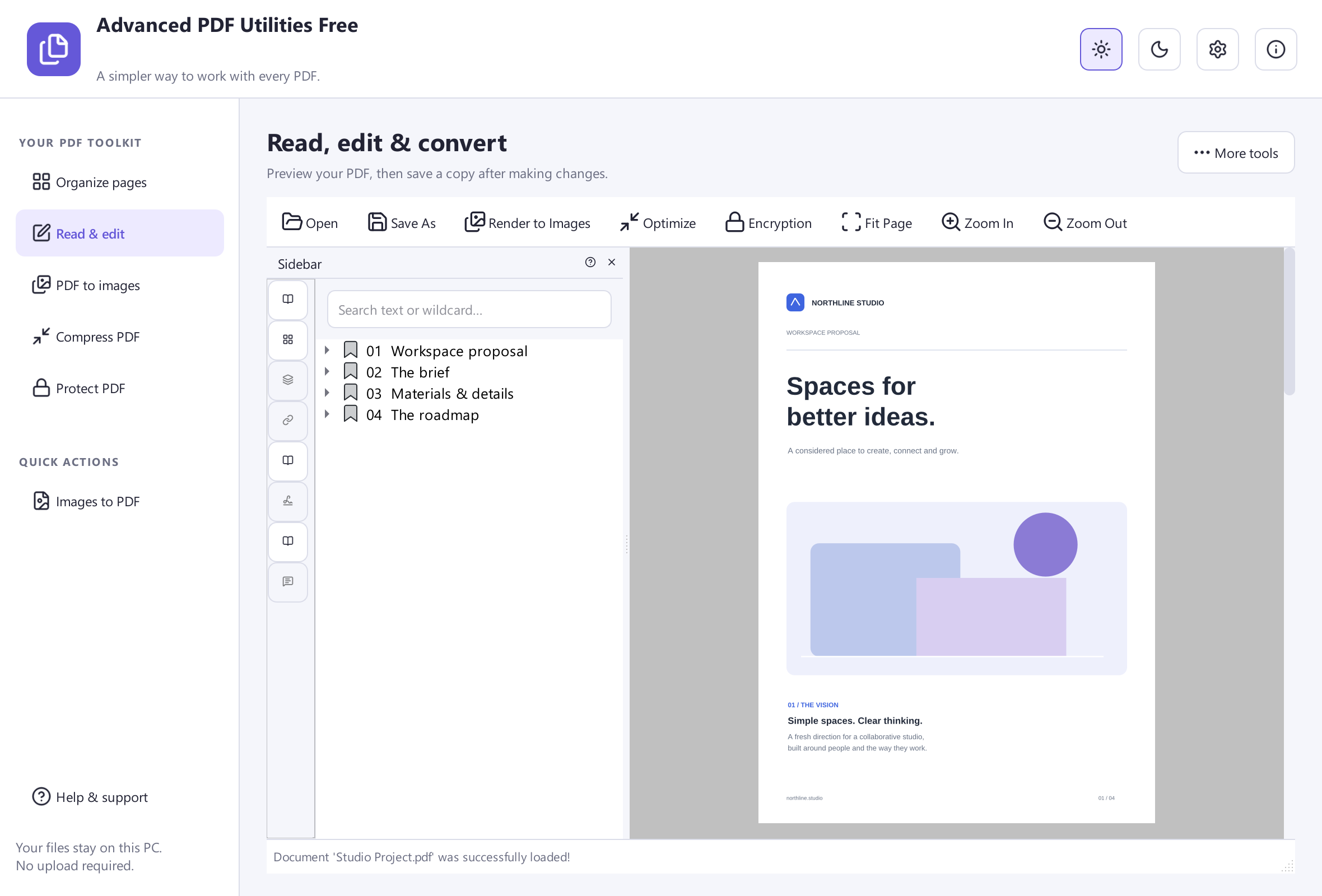 View Screenshot
Keep Your Original
Save your result with a new filename and check it before replacing or sharing a document. Use a small sample first when the source contains unfamiliar formatting.
Choose The Matching Free App
Advanced PDF Utilities Free is the tool used for this workflow. All its included features are free to use.
Download Free SoftwareSystem Requirements & File Details
Windows 10 or Windows 11, 64-bit. Required application runtimes are included with setup.
Version 8.1.0 · 33.4 MB · 33,360,272 bytes.
Setup includes an optional third-party software offer. You can decline it and still install this application.
Verify The Download
SHA-256
A6D21EF10164C15B97E18009F93CFC247CBD82E94DFD5939322A05F0B309093F