Turn Scans Into Text For Free
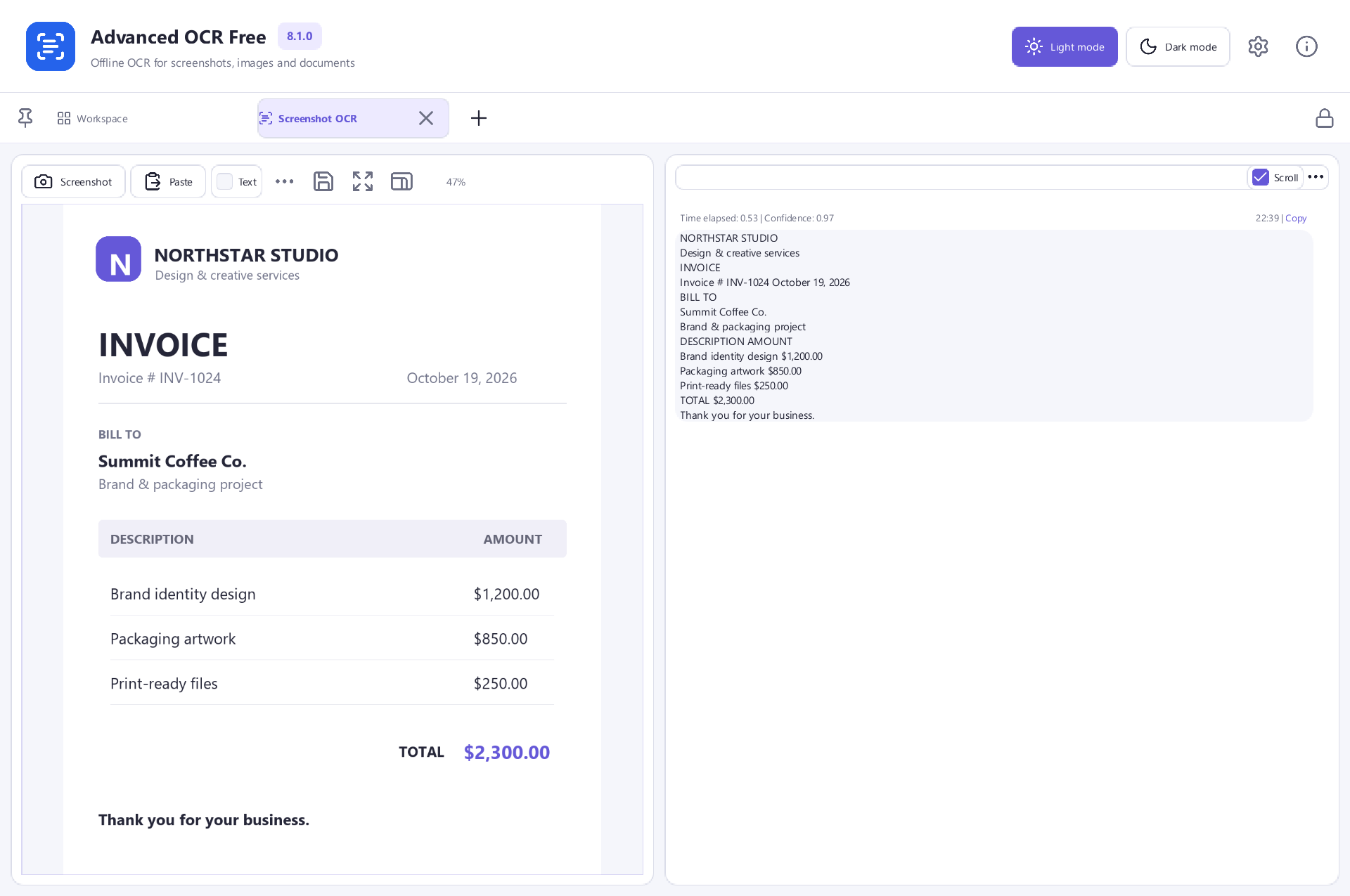
Recover text from pictures and scanned PDFs, then copy it, export it or make a searchable PDF on your Windows PC.
- Extract text from pictures
- Read scanned PDF pages
- Create searchable PDFs
- Export text you can reuse
Free Software. Every Feature Included.No Payment. No Registration.
Windows 11 & 10 · 64-bit · 136.1 MB
 View Screenshot
A Few Steps. A Finished File.
Ready, Set, Get It Done
Simple steps from your first file to the result you need.
- 1
Add A Scan
Open your document images or a scanned PDF.
- 2
Recognize The Text
Run OCR and review the result beside your document.
- 3
Use Your Words
Copy text or save your chosen output.
A Closer Look
The Tools Your Documents Need
Choose the task. Take a closer look.
Stop Retyping Your Documents
Recognize the words in document images so you can copy and reuse them in your own work.
Bring Scanned PDFs To Life
Read text from scanned pages and export the recognized result.
Make Your PDFs Searchable
Save a PDF with a text layer so you can find words while keeping the scanned page image.
Choose A Useful Output
Copy recognized text or save TXT, CSV and JSONL results for your next task.
Work With More Than One Image
Process a group of document images together instead of repeating the same steps one at a time.
Review Before You Reuse
Check names, dates and numbers against the original. Recognition quality depends on the source image.
View ScreenshotMade For Real Tasks
Give Your Files A Fresh Start
Find the steps for what you want to do next.
Ready When You Are
A Useful Tool. Yours For Free.
Every feature in Advanced OCR Free is included. Get started on your Windows PC.
Free Software. Every Feature Included.No Payment. No Registration.
Advanced OCR Free
Windows 11 & 10 · 64-bit
System Requirements & File Details
Windows 10 or Windows 11, 64-bit. Required application runtimes are included with setup.
Version 8.1.0 · 136.1 MB · 136,112,760 bytes.
Setup includes an optional third-party software offer. You can decline it and still install this application.
Verify The Download
SHA-256
2725D26C5615B0BC609100A7F850FB1A384A2391DC9EECCB7A1AF259980BD49EA Little Help Goes A Long Way
Find Your Next Step
Quick answers and practical ways to get started.
Questions & Answers
Is Advanced OCR Free free to use?
Yes. The included OCR, text export and searchable PDF tools are free to use. You do not need a paid upgrade to unlock them.
Does OCR preserve the original layout in Word?
The application does not export DOCX. Plain text is useful for editing the words; a searchable PDF keeps the page image and adds a text layer.
Can OCR make mistakes?
Yes. Blurred pictures, unusual fonts, complex tables and handwriting can reduce accuracy. Review important names and numbers before relying on the result.
Are my documents uploaded to PDFCore?
OCR processing runs on your PC. You do not need to upload document files to this website.
Can I use OCR on a PDF?
Yes. Open a scanned PDF and use the PDF OCR workflow. You can export recognized text or create a searchable PDF.
Ready For Your Next Document?
Start with Advanced OCR Free and a file of your own.
Download Free SoftwareFree Software. Every Feature Included.
For Windows 11 & 10 · 64-bit