Merge, Split & Organize PDFs Free
Bring documents together, keep the pages you need and make changes in one free PDF workspace for Windows.
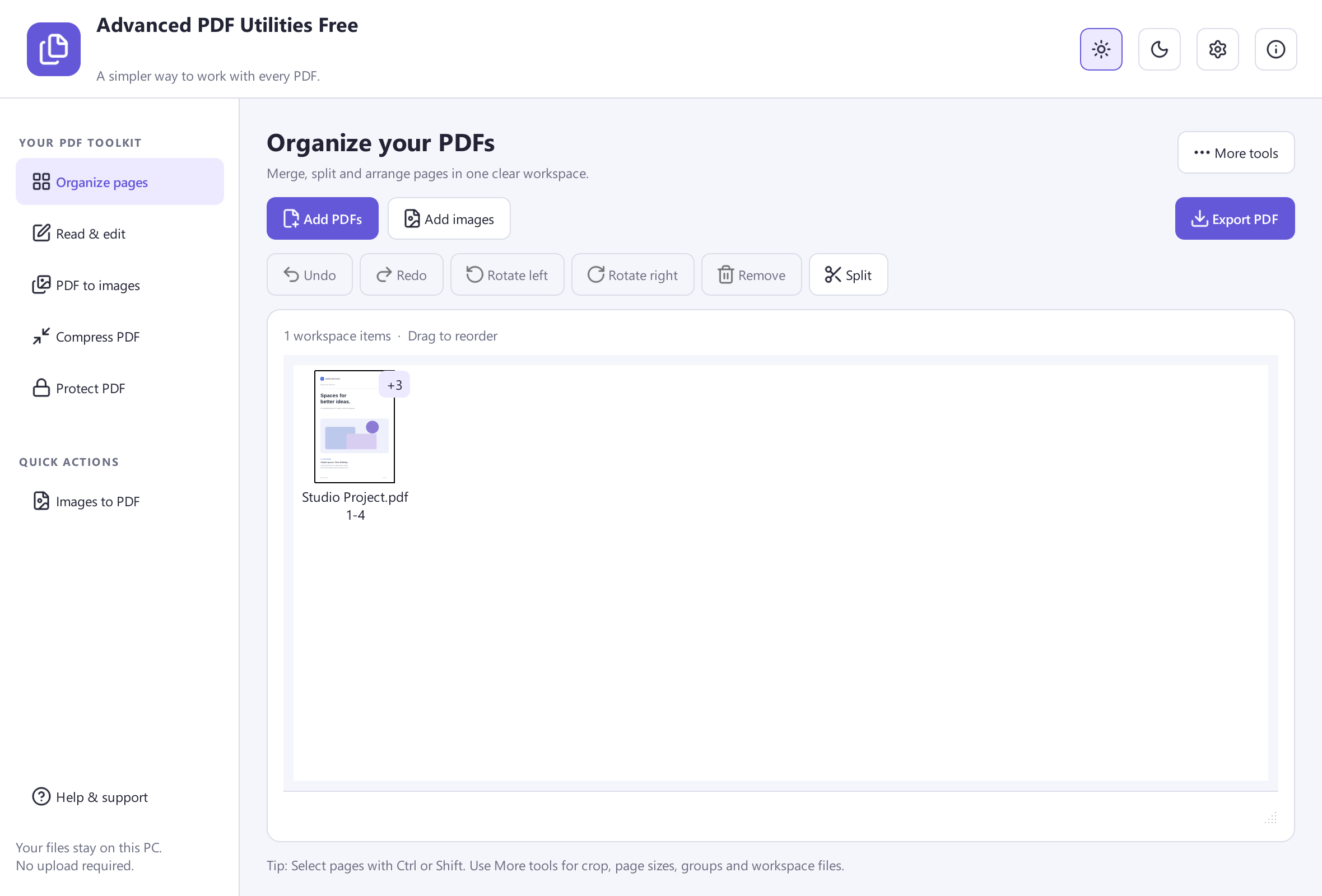
- Combine several PDFs into one
- Split and rearrange pages
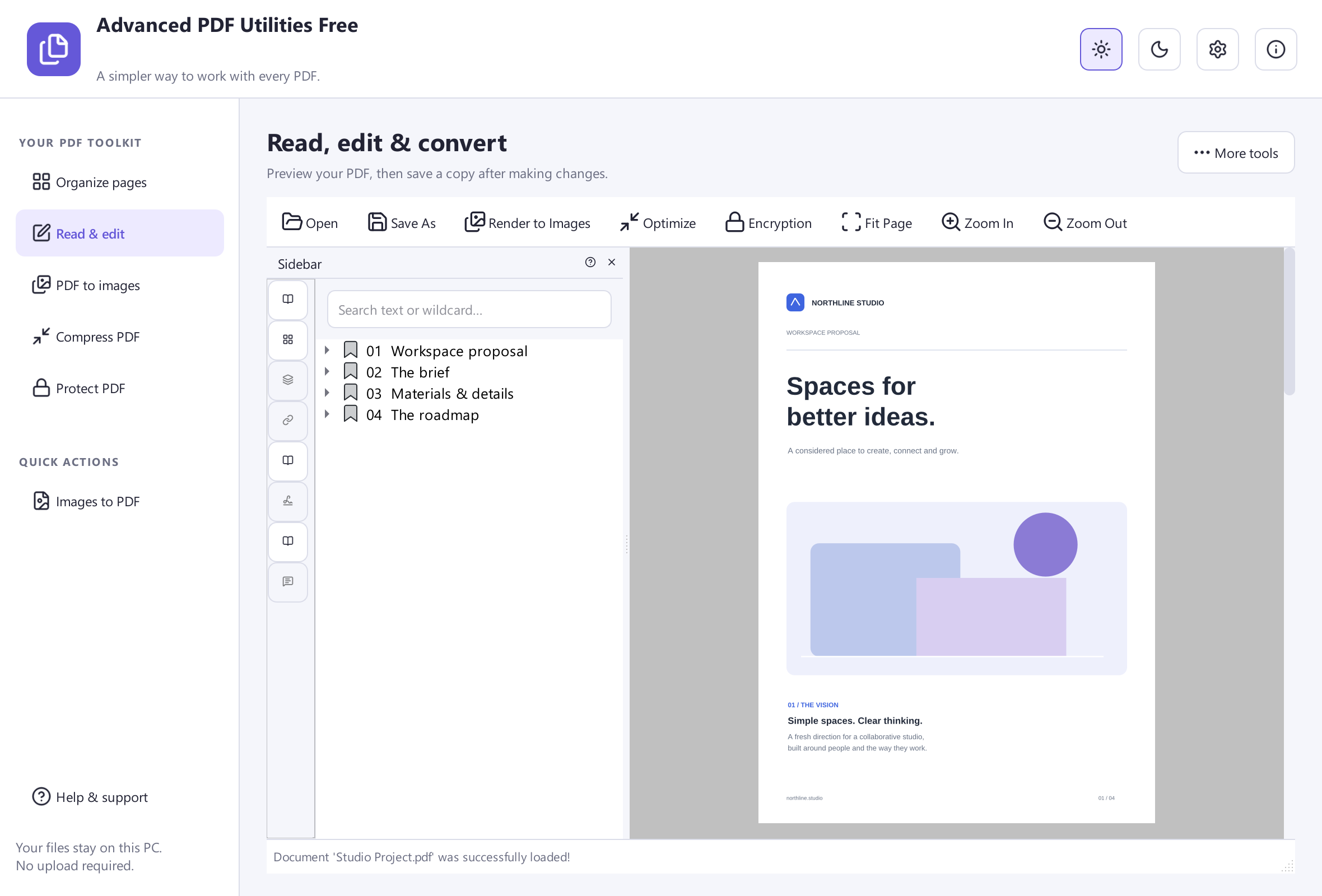
- Read, annotate and edit
- Protect PDFs with a password
Free Software. Every Feature Included.No Payment. No Registration.
Windows 11 & 10 · 64-bit · 33.4 MB
 View Screenshot
A Few Steps. A Finished File.
Ready, Set, Get It Done
Simple steps from your first file to the result you need.
- 1
Add Your PDFs
Bring the documents or images you need into the workspace.
- 2
Make It Your Own
Arrange, split, rotate or edit your pages.
- 3
Save A New PDF
Export the finished document and keep your originals.
A Closer Look
The Tools Your Documents Need
Choose the task. Take a closer look.
One Document, In Your Order
Combine PDFs, rearrange pages and remove what you do not need before exporting a new document.
Keep Just The Pages You Need
Split a long document into smaller PDFs for sharing, filing or a project of your own.
Read And Make Changes
Open a PDF, review its pages, add annotations and explore the included editing tools.
PDFs And Pictures, Together
Create PDF pages from images or export pages as pictures for another project.
Add Password Protection
Choose a document password and save a protected copy for the people you share it with.
Optimize Your Document
Clean up the document structure. The size change depends on the PDF; some files may stay the same size or grow.
 View Screenshot
Made For Real Tasks
Give Your Files A Fresh Start
Find the steps for what you want to do next.
Ready When You Are
A Useful Tool. Yours For Free.
Every feature in Advanced PDF Utilities Free is included. Get started on your Windows PC.
Free Software. Every Feature Included.No Payment. No Registration.
Advanced PDF Utilities Free
Windows 11 & 10 · 64-bit
System Requirements & File Details
Windows 10 or Windows 11, 64-bit. Required application runtimes are included with setup.
Version 8.1.0 · 33.4 MB · 33,360,272 bytes.
Setup includes an optional third-party software offer. You can decline it and still install this application.
Verify The Download
SHA-256
A6D21EF10164C15B97E18009F93CFC247CBD82E94DFD5939322A05F0B309093FA Little Help Goes A Long Way
Find Your Next Step
Quick answers and practical ways to get started.
Questions & Answers
Is Advanced PDF Utilities Free completely free?
Yes. The current application and its included features are free to use. No paid upgrade is required to unlock the tools shown here.
Can it convert PDF to Word?
Version 8.1.0 does not export Word or DOCX documents. Use Advanced OCR Free to extract readable text from scans, or read our PDF-to-Word guide for other options.
Will PDF optimization always make files smaller?
No. This version optimizes the PDF structure. The result depends on the file and may be smaller, unchanged or larger.
Do I need to upload my documents?
The PDF tools work on your Windows PC. You do not need to upload your PDFs to this website to use them.
Which Windows versions are supported?
Download the 64-bit Windows installer for Windows 10 or Windows 11. The required desktop components are included.
Ready For Your Next Document?
Start with Advanced PDF Utilities Free and a file of your own.
Download Free SoftwareFree Software. Every Feature Included.
For Windows 11 & 10 · 64-bit