Turn Your Pictures Into One PDF
Combine JPG, PNG and other image files into a PDF in the order you choose, with the paper size and quality that fit your project.
- Combine JPG and PNG images
- Arrange and rotate your pages
- Choose paper size and margins
- Keep originals or reduce image size
Free Software. Every Feature Included.No Payment. No Registration.
Windows 11 & 10 · 64-bit · 91.5 MB
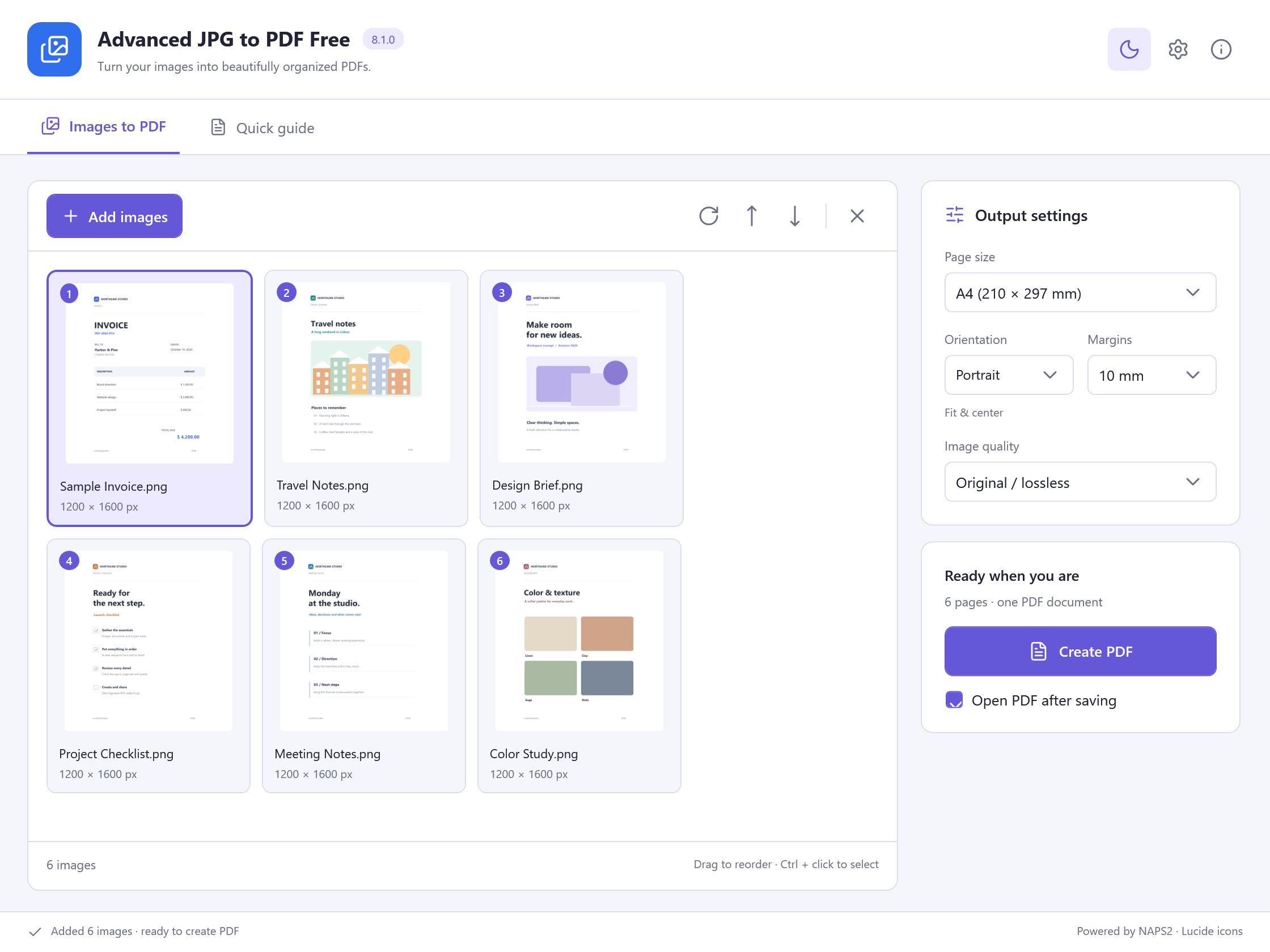 View Screenshot
A Few Steps. A Finished File.
Ready, Set, Get It Done
Simple steps from your first file to the result you need.
- 1
Add Your Pictures
Choose images or drag them into the app.
- 2
Arrange Your Pages
Reorder, rotate and choose your page settings.
- 3
Create Your PDF
Save one document ready to share.
A Closer Look
The Tools Your Documents Need
Choose the task. Take a closer look.
All Your Pictures, One PDF
Bring JPG, PNG, TIFF, BMP and GIF images together in one document.
Get The Order Right
Drag thumbnails into place and rotate pages before creating your PDF.
Make Each Page Fit
Choose A4, Letter, A5 or original image size, then set orientation and margins.
Choose The Quality You Need
Keep original image quality or choose JPEG compression for a different file-size balance.
Keep Multi-Page TIFFs Together
Import the frames of a multi-page TIFF as individual pages in your PDF.
Your Images Stay Yours
Create the PDF on your PC and keep the original image files.
View ScreenshotMade For Real Tasks
Give Your Files A Fresh Start
Find the steps for what you want to do next.
Ready When You Are
A Useful Tool. Yours For Free.
Every feature in Advanced JPG to PDF Free is included. Get started on your Windows PC.
Free Software. Every Feature Included.No Payment. No Registration.
Advanced JPG to PDF Free
Windows 11 & 10 · 64-bit
System Requirements & File Details
Windows 10 or Windows 11, 64-bit. Required application runtimes are included with setup.
Version 8.1.0 · 91.5 MB · 91,458,288 bytes.
Setup includes an optional third-party software offer. You can decline it and still install this application.
Verify The Download
SHA-256
A90697D735B108233F8EA09FFDF3A796DBE67C6D082A2DF986EDED38701915BDA Little Help Goes A Long Way
Find Your Next Step
Quick answers and practical ways to get started.
Questions & Answers
Is Advanced JPG to PDF Free completely free?
Yes. Image import, page arrangement, paper settings and PDF export are all included at no charge.
Which image formats can I add?
You can add JPG/JPEG, PNG, TIFF, BMP and GIF images. Multi-page TIFF files are imported as separate pages.
Can I put more than one picture into a PDF?
Yes. Add your images, arrange the thumbnails in the order you want, then create one PDF.
Can I choose A4 paper?
Yes. Choose A4, Letter, A5 or original image size. Orientation and margin options are also available.
Can it scan directly from a scanner?
This version imports existing image files; it does not include a direct scanner capture screen. Scan with your scanner software first, then add the saved images.
Ready For Your Next Document?
Start with Advanced JPG to PDF Free and a file of your own.
Download Free SoftwareFree Software. Every Feature Included.
For Windows 11 & 10 · 64-bit