The Quick Route
Choose Your JPG Files → Prepare The Pages → Create One Document.
Follow The Steps
- 1
Choose Your JPG Files
Add JPG or JPEG images to Advanced JPG to PDF Free. You can add more than one picture.
- 2
Prepare The Pages
Move the thumbnails into the right order and rotate any sideways images. Choose A4, Letter, A5 or original image size.
- 3
Create One Document
Choose a quality setting and save your PDF. Inspect the result before sending it as an attachment.
Before You Finish
Original quality avoids an extra JPEG quality reduction where supported. Smaller-file settings can reduce image detail; choose the balance appropriate to your document.
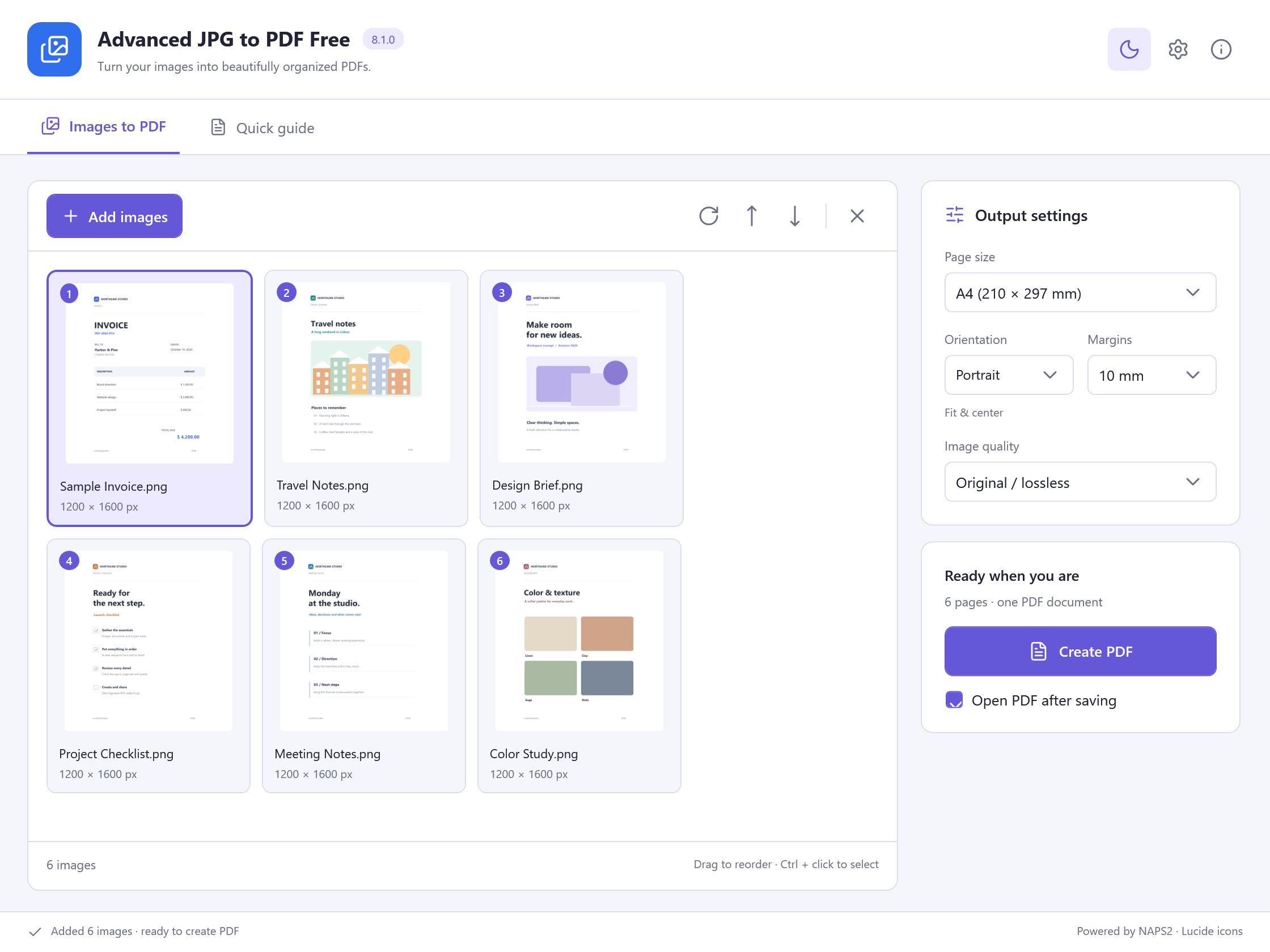 View Screenshot
Keep Your Original
Save your result with a new filename and check it before replacing or sharing a document. Use a small sample first when the source contains unfamiliar formatting.
Choose The Matching Free App
Advanced JPG to PDF Free is the tool used for this workflow. All its included features are free to use.
Download Free SoftwareSystem Requirements & File Details
Windows 10 or Windows 11, 64-bit. Required application runtimes are included with setup.
Version 8.1.0 · 91.5 MB · 91,458,288 bytes.
Setup includes an optional third-party software offer. You can decline it and still install this application.
Verify The Download
SHA-256
A90697D735B108233F8EA09FFDF3A796DBE67C6D082A2DF986EDED38701915BD