The Quick Route
Choose The Text Task → Run OCR Locally → Review And Reuse.
For This Document Task
The current 8.1.0 applications use a refreshed interface. This page explains the related task and where to find it in the current tools.
Follow The Steps
- 1
Choose The Text Task
Use image OCR for document pictures and PDF OCR for scanned PDF files. PDF page arrangement is a different task in PDF Utilities.
- 2
Run OCR Locally
Open the source in Advanced OCR Free and recognize its text. Document recognition runs on your PC.
- 3
Review And Reuse
Copy the recognized words, export text or save a searchable PDF. Check important content against the scan.
Before You Finish
Combining images into a PDF does not by itself make the words searchable. Advanced JPG to PDF Free creates image pages; Advanced OCR Free recognizes their text.
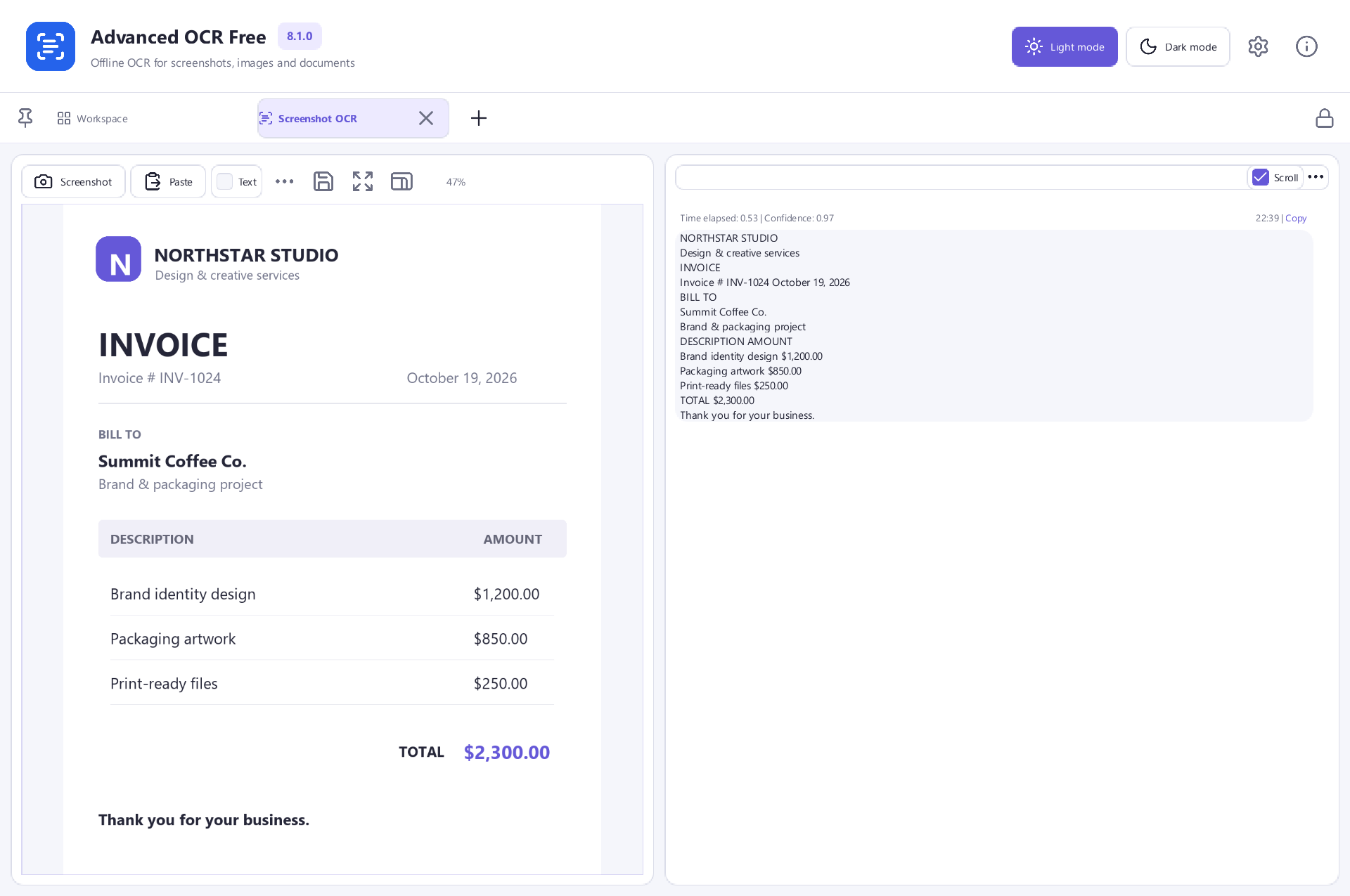 View Screenshot
Keep Your Original
Save your result with a new filename and check it before replacing or sharing a document. Use a small sample first when the source contains unfamiliar formatting.
Choose The Matching Free App
Advanced OCR Free is the tool used for this workflow. All its included features are free to use.
Download Free SoftwareSystem Requirements & File Details
Windows 10 or Windows 11, 64-bit. Required application runtimes are included with setup.
Version 8.1.0 · 136.1 MB · 136,112,760 bytes.
Setup includes an optional third-party software offer. You can decline it and still install this application.
Verify The Download
SHA-256
2725D26C5615B0BC609100A7F850FB1A384A2391DC9EECCB7A1AF259980BD49E